Integrating DYMATRIX with Usercentrics CMP V2
You can integrate DYMATRIX with the Usercentrics Consent Management Platform.
Procedure Overview:
Complete the configuration in Usercentrics: Create Data Processing Services and a Window Event.
Hint
How to switch from CMP V1 to CMP V2, you can find here.
Configuration in Usercentrics
Creating Data Processing Services
To create Data Processing Services, follow these steps:
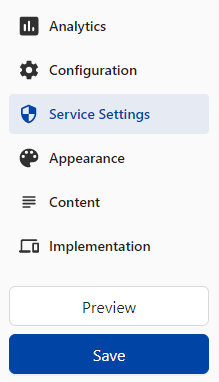
Navigate to Service Settings using the menu.
Click the Data Processing Services tab.
Click on Add DPS via Database.
Type econda in the search field.
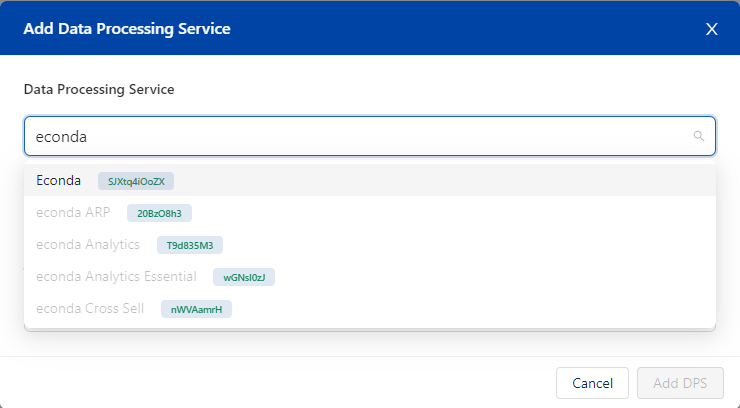
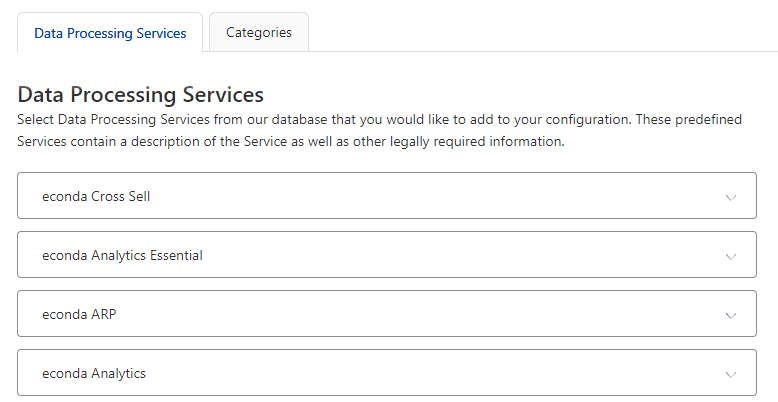
The following Data Processing Services must be displayed:
Analytics Essential: Anonymous Data Collection Without Cookies
Analytics: Data Collection With Cookies
Personalization: Display of Product Recommendations
ARP: Personalization
Click on Add DPS.
If Data Processing Services are not displayed, configure them as follows:
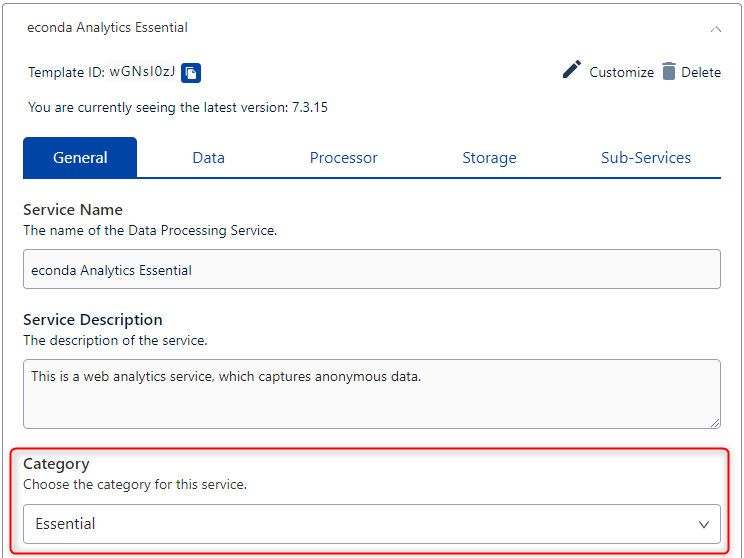
Web Analytics Essential
Select Web Analytics Essential in the predefinedConsents dropdown menu.
Select Essential under Category.
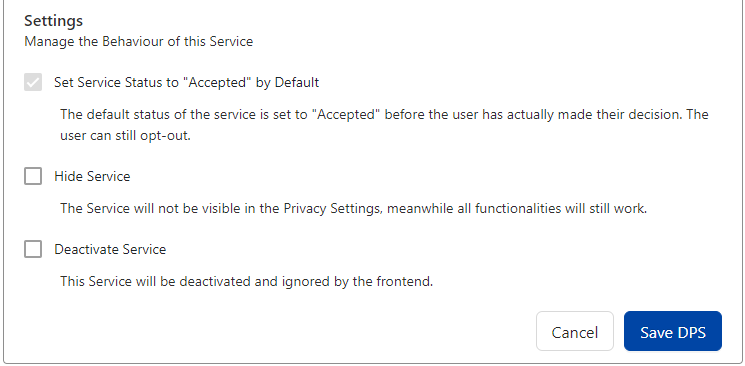
Check the box Set Service Status to “Accepted” by Default.
Click on Save DPS.
Web Analytics
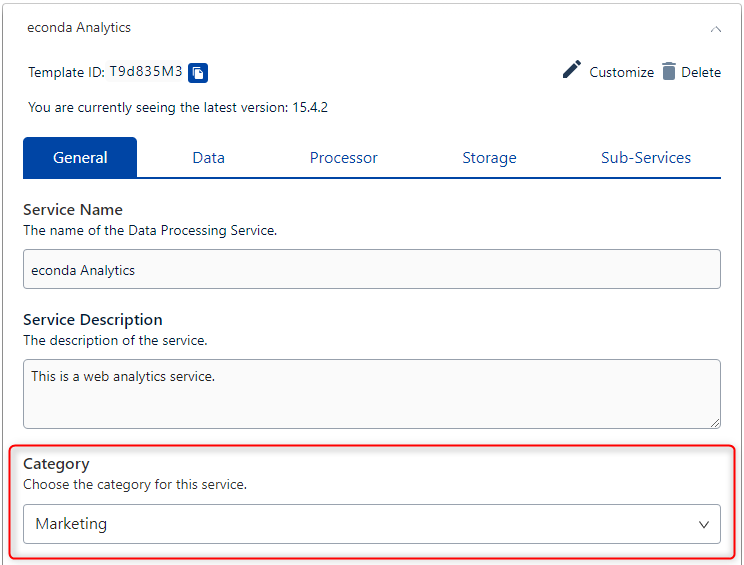
Select Web Analytics in the predefinedConsents dropdown menu.
Select Marketing under Category.
Click on Save DPS.
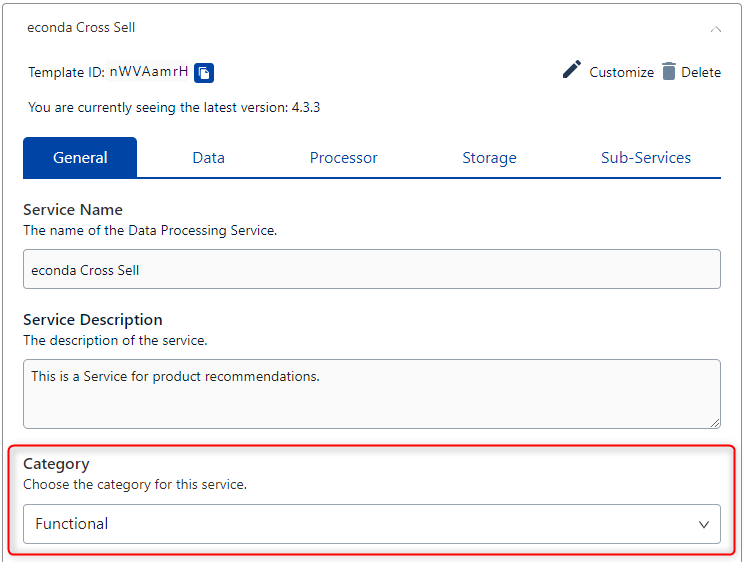
Personalization
Select Personalization in the predefinedConsents dropdown menu.
Select Functional under Category.
Click on Save DPS.
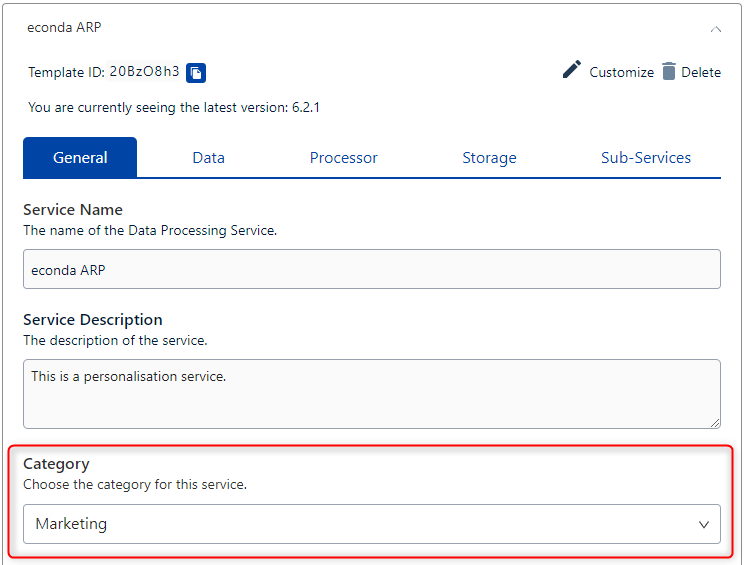
ARP
Select ARP in the predefinedConsents dropdown menu.
Select Marketing under Category.
Click on Save DPS.
After these steps, all Data Processing Services are created.
To save the changes, click Save in the menu.
Creating a Window Event
To use DYMATRIX, you need a Window Event.
To create a Window Event, follow these steps:
Navigate to Implementation using the menu.
Click the Data Layer & Events tab.
Click Window Event.
Enter econda_uc in the Window Event Name field (1).
Add the name by clicking + (2).
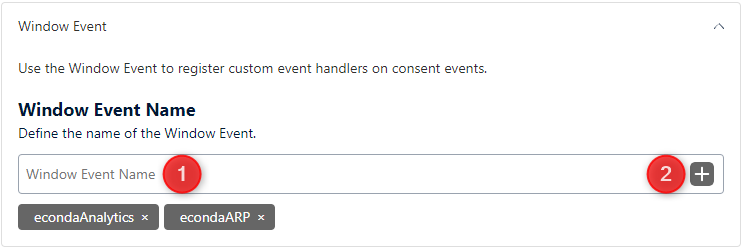
To save the changes, click Publish in the menu.
Customizations in Analytics
Analytics JS Library
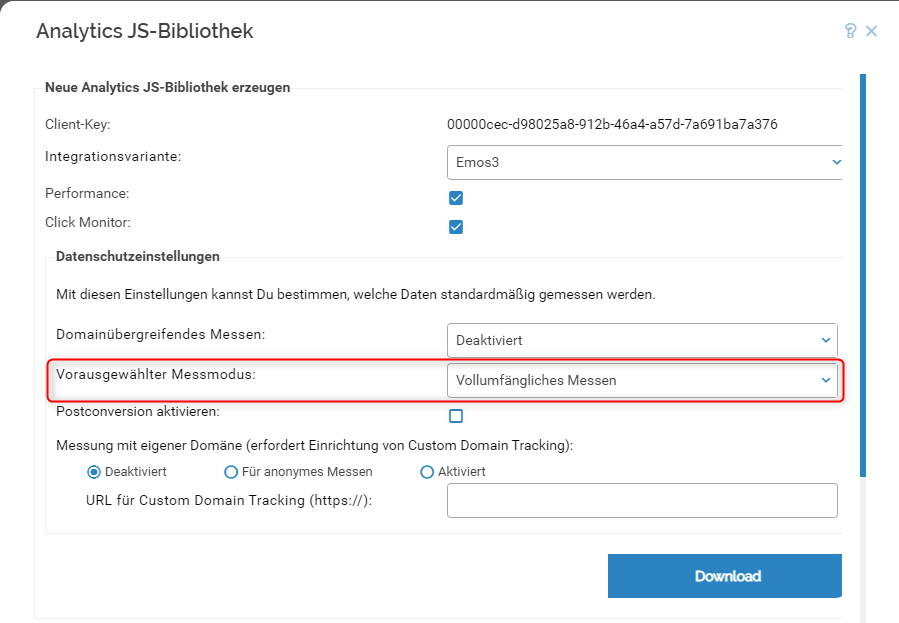
In the privacy settings, set Anonymous Measurement as the Default Measurement Mode.
After downloading, the Analytics JS Library must be replaced on your website.
Customizations on Your Website
Integrating the Usercentrics Script
Learn how to integrate the Usercentrics script on your website here.
Customizing Analytics Integration
You don’t need to customize the Analytics integration, as Anonymous Measurement is set as the default measurement mode.
Customizing Personalization Widget Integration
You don’t need to customize the widget integration.
Additional Script to Control the Analytics Measurement Mode (Privacy Mode) with ARP
<script>
//Script to control the Analytics measurement mode (Privacy Mode) with ARP
//If necessary, please set OPTIONAL_CONTENT_LABEL

window.addEventListener("econda_uc", function (e) {

    window.econda.ready(() => {

        if (e.detail.event === "consent_status" && e.detail["econda Analytics"] === false) {
            if (e.detail.event === "consent_status" && e.detail["econda ARP"] === true) {
                if(localStorage.getItem("emos_privacy") !== null) {
                    window.emos3.send({'privacy_mode':3});
                }

                if (window.econda.arp.PrivacyProtection.getProfileState() !== 'ALLOW') {
                    try {
                        window.econda.arp.PrivacyProtection.updatePermissions([{
                            state: 'ALLOW',
                            version: '5.0',
                            timestamp: new Date().toISOString()
                        }],OPTIONAL_CONTENT_LABEL);
                    }
                    catch (e) {console.error('Could not update econda Privacy Protection settings.')}
                }
            }
            else if (e.detail.event === "consent_status" && e.detail["econda ARP"] === false) {
                if(localStorage.getItem("emos_privacy") !== null) {
                    window.emos3.send({'privacy_mode': 'reset'});
                }

                if (window.econda.arp.PrivacyProtection.getProfileState() !== 'DENY') {
                    try {
                        window.econda.arp.PrivacyProtection.updatePermissions([{
                            state: 'DENY',
                            version: '5.0',
                            timestamp: new Date().toISOString()
                        }],OPTIONAL_CONTENT_LABEL);
                    }
                    catch (e) {console.error('Could not update econda Privacy Protection settings.')}
                }
            }
        }
        else if (e.detail.event === "consent_status" && e.detail["econda Analytics"] === true) {
            if (e.detail.event === "consent_status" && e.detail["econda ARP"] === true) {
                if(localStorage.getItem("emos_privacy") !== '3') {
                    window.emos3.send({'privacy_mode':3});
                }

                if (window.econda.arp.PrivacyProtection.getProfileState() !== 'ALLOW') {
                    try {
                        window.econda.arp.PrivacyProtection.updatePermissions([{
                            state: 'ALLOW',
                            version: '5.0',
                            timestamp: new Date().toISOString()
                        }],OPTIONAL_CONTENT_LABEL);
                    }
                    catch (e) {console.error('Could not update econda Privacy Protection settings.')}
                }
            }
            else if (e.detail.event === "consent_status" && e.detail["econda ARP"] === false) {
                if(localStorage.getItem("emos_privacy") !== '3') {
                    window.emos3.send({'privacy_mode':3});
                            }

                if (window.econda.arp.PrivacyProtection.getProfileState() !== 'DENY') {
                    try {
                        window.econda.arp.PrivacyProtection.updatePermissions([{
                            state: 'DENY',
                            version: '5.0',
                            timestamp: new Date().toISOString()
                        }],OPTIONAL_CONTENT_LABEL)
                    }
                    catch (e) {console.error('Could not update econda Privacy Protection settings.')}
                }
            }
        }
    });
});
</script>
Hint
If `OPTIONAL_CONTENT_LABEL` is defined, this value will be used as the content label for tracking.
If no value is set, “arp-privacy-protection/permission-update” will be used by default.
Additional Script to Control the Analytics Measurement Mode (Privacy Mode) without ARP
<script>
//Additional script to control the Analytics measurement mode (Privacy Mode) without ARP

    window.addEventListener("econda_uc", function (e) {
        if ((e.detail.event === "consent_status") && e.detail["econda Analytics"] === false) {
            if(localStorage.getItem("emos_privacy") !== null) {
                                window.emos3.send({'privacy_mode': 'reset'});
            }
        }
        else if ((e.detail.event === "consent_status") && e.detail["econda Analytics"] === true) {
            if(localStorage.getItem("emos_privacy") !== '3') {
                                window.emos3.send({'privacy_mode':3});
                        }
        }
    });
</script>
Hint
Note: The ARP SDK must be loaded. Here you can find how to ensure this.